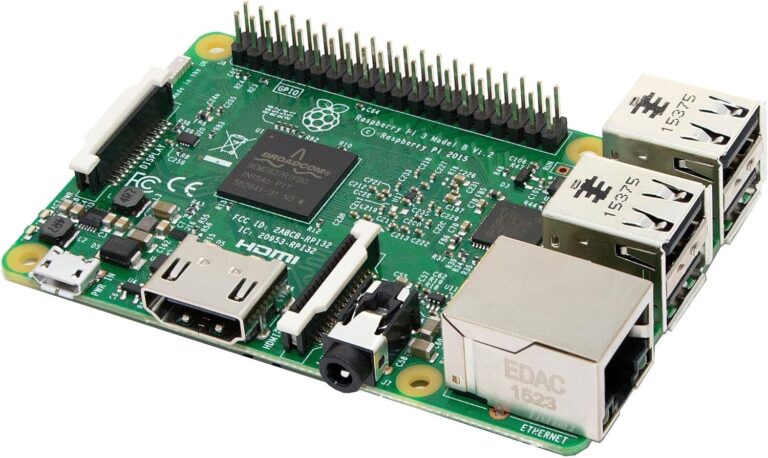
Launched on Pi Day 2016 (March 14th), the Raspberry Pi 3 Model B marked a watershed moment in single-board computing. As the third generation of the revolutionary Raspberry Pi, this credit-card-sized computer brought integrated wireless connectivity and significantly enhanced performance to an already beloved platform. Though newer models have since been released, the Pi 3 Model B remains a compelling choice for learners, makers, and hobbyists. But does this “classic” Pi still deserve a place in your toolkit in 2025?
Key Specifications
Processor & Memory:
- SoC: Broadcom BCM2837 64-bit quad-core ARMv8
- CPU: 4x ARM Cortex-A53 cores @ 1.2GHz
- GPU: Dual Core VideoCore IV Multimedia Co-Processor
- RAM: 1GB LPDDR2
Connectivity:
- Wireless: 802.11n WiFi (2.4GHz only)
- Bluetooth: Bluetooth 4.1 Classic and Bluetooth Low Energy (BLE)
- Ethernet: 10/100 Base Ethernet
- USB: 4x USB 2.0 ports
Ports & Expansion:
- Video Output: Full-size HDMI port (1080p capable)
- Audio: 3.5mm analog audio/composite video jack
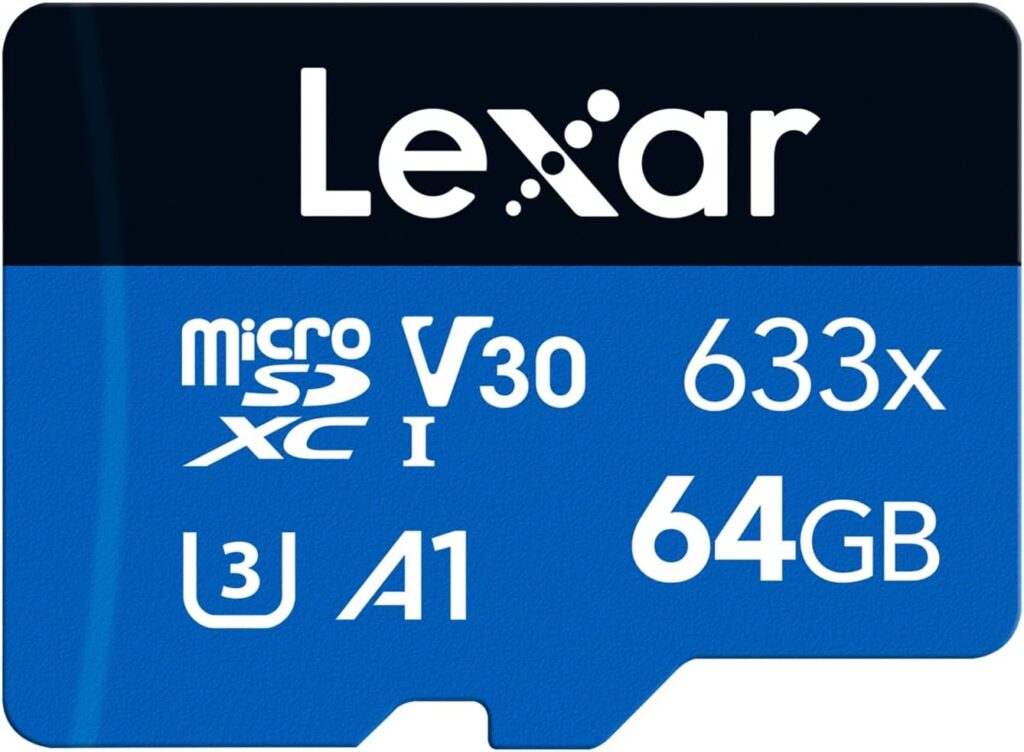
- Storage: MicroSD card slot (push-pull mechanism)
- GPIO: 40-pin General Purpose Input/Output header
- Camera: CSI (Camera Serial Interface) connector
- Display: DSI (Display Serial Interface) connector
Power & Physical:
- Power Input: 5V/2.5A Micro USB
- Dimensions: 85mm x 56mm (credit card size)
- Weight: 45g
- Operating Temperature: 0-50°C
The Revolutionary Features That Mattered
Built-In Wireless Connectivity
The Raspberry Pi 3 Model B was the first mainline Pi to include integrated 802.11n WiFi and Bluetooth 4.1 functionality with Bluetooth Low Energy support, features the community had requested for some time. This eliminated the need for external USB dongles, freeing up precious USB ports and simplifying setup significantly.
For many users, this single feature transformed the Pi from a tinkerer’s toy into a practical computing platform. No more hunting for compatible WiFi adapters or dealing with driver issues—the Pi 3 Model B just worked out of the box.
10x Performance Boost
The Raspberry Pi 3 Model B brought a more powerful processor, 10x faster than the first generation Raspberry Pi. The jump from the Pi 2’s 900MHz quad-core to the Pi 3’s 1.2GHz 64-bit processor was substantial, bringing:
- Faster boot times: The Pi 3 boots from a cold start to a usable desktop in 36 seconds
- Improved web browsing: Pages load noticeably faster in the included Chromium browser
- Better multimedia: Smoother 1080p video playback
- Enhanced multitasking: More responsive when running multiple applications
64-Bit Architecture
The move to ARMv8 64-bit architecture was forward-thinking, though it took time for software to fully utilize it. The ARM Cortex-A53 cores provided a solid foundation for more demanding applications while maintaining backward compatibility with existing 32-bit software.
Real-World Performance
Computing Tasks
As a basic desktop computer, the Pi 3 Model B delivers surprisingly capable performance for everyday tasks:
- Web browsing: Loading the Tom’s Guide homepage takes 11 seconds, and YouTube loads in 10 seconds
- Office work: Handles LibreOffice documents, email, and basic productivity software
- Programming: Excellent for learning Python, Scratch, and other languages
- Media playback: Smooth 1080p video through HDMI
However, it’s important to set realistic expectations. This isn’t a desktop replacement for demanding users. Heavy multitasking, complex web applications, and modern gaming will push the hardware to its limits.
Thermal Management
The Pi 3’s A53-series 64-bit System-on-a-Chip uses more power than older ARM processors, resulting in more thermal dissipation. Under heavy load, temperatures can spike:
- Typical load temperatures: 55-70°C
- Potential for thermal throttling without cooling
- Many users add passive aluminum heat sinks to improve heat dissipation
For sustained high-performance tasks, adding heat sinks (£2-5) is highly recommended and can prevent performance degradation.
Network Performance
The Pi 3 Model B’s networking capabilities are solid but not exceptional:
- WiFi: 802.11n provides decent speeds, though limited to 2.4GHz band
- Ethernet: 10/100 Base Ethernet maxes out around 95Mbps
- Bluetooth: Reliable for keyboards, mice, and audio devices
The lack of gigabit Ethernet and 5GHz WiFi are notable limitations compared to the later Pi 3 B+ model.
Power Consumption
The Raspberry Pi 3 Model B consumes around 2.5-5 watts on average, making it very energy-efficient for 24/7 use. This translates to:
- Approximately £3-6 per year in electricity costs (running 24/7)
- Suitable for always-on projects like home servers
- Can be powered by many USB power banks for portable applications
However, power efficiency is a consideration, as this microcomputer consumes more than older editions, running off a 5V micro USB connection with a power draw of 2.5A. A proper 2.5A power supply is essential—cheap phone chargers won’t cut it.
What Can You Actually Build With It?
Education and Learning
The Pi 3 Model B excels as an educational platform:
- Programming: Ideal for learning Python, JavaScript, C++, and more
- Computer science: Understanding operating systems, networking, and hardware
- STEM projects: Robotics, electronics, and physical computing
- Curriculum support: Extensive educational resources and lesson plans available
Practical Projects
Home Automation:
- Smart home controller running Home Assistant
- Network-attached storage (NAS)
- VPN server
- Network-wide ad blocker (Pi-hole)
Media Center:
- Kodi/LibreELEC media player
- Retro gaming emulation station (RetroPie)
- Digital photo frame
- Music streaming server
IoT and Embedded:
- Weather station
- Security camera system
- Robot controller
- Environmental monitoring
Professional/Development:
- Web server for testing
- Network monitoring tool
- Bitcoin/cryptocurrency node
- Development platform
Software Ecosystem
The Raspberry Pi runs Raspberry Pi OS (formerly Raspbian), a Debian-based Linux distribution optimized for the hardware. Also available:
- Ubuntu MATE
- Windows 10 IoT Core (but not the full desktop version)
- Android builds such as LineageOS
- Retro gaming distributions (RetroPie, Recalbox)
- Media center OS (OSMC, LibreELEC)
The massive community support means finding tutorials, troubleshooting help, and project ideas is incredibly easy.
Pros and Cons
Advantages
✅ Integrated wireless connectivity – WiFi and Bluetooth built-in
✅ Strong performance boost – 10x faster than original Pi
✅ Excellent value – Typically £25-35 for the board alone
✅ Massive community support – Millions of users, endless tutorials
✅ Energy efficient – Low running costs for always-on projects
✅ Educational focus – Outstanding learning platform
✅ GPIO flexibility – 40-pin header for hardware projects
✅ Multiple OS options – Wide software ecosystem
✅ Backward compatible – Works with Pi 2 accessories and cases
✅ Long-term support – Still receives software updates
Disadvantages
❌ Only 1GB RAM – Limiting for modern applications
❌ No gigabit Ethernet – Capped at 100Mbps wired speeds
❌ 2.4GHz WiFi only – No 5GHz band support
❌ USB 2.0 only – Slower peripheral speeds
❌ Thermal throttling – Can slow down under sustained load without cooling
❌ MicroSD storage – Slower than SSD options, potential reliability issues
❌ Power sensitive – Requires quality 2.5A supply
❌ 1080p max video – No 4K playback capability
❌ No real-time clock – Needs network connection to keep accurate time
❌ Superseded by newer models – Pi 3 B+, Pi 4, and Pi 5 offer better specs
Raspberry Pi 3 Model B vs. Newer Alternatives
vs. Raspberry Pi 3 Model B+ (2018)
The B+ improves on the Model B with:
- Faster 1.4GHz processor (vs. 1.2GHz)
- Gigabit Ethernet (though limited to ~300Mbps by USB 2.0 bus)
- Dual-band 802.11ac WiFi (2.4GHz and 5GHz)
- Better thermal management
- PoE capability (with add-on HAT)
Verdict: If available for similar price, get the B+
vs. Raspberry Pi 4 Model B (2019)
The Pi 4 is a major upgrade:
- Up to 8GB RAM (vs. 1GB)
- True gigabit Ethernet
- USB 3.0 ports
- Dual 4K display support
- Significantly faster processor
Verdict: Worth the extra £15-30 for demanding projects
vs. Raspberry Pi Zero 2 W (2021)
The Zero 2 W offers:
- Similar processor performance
- Much smaller form factor
- Lower power consumption
- Only £15
Verdict: The ultra-compact Pi Zero is ideal for embedded projects unless you specifically need a feature such as the Pi 3’s multiple USB ports
Who Should Buy the Raspberry Pi 3 Model B in 2025?
Ideal For:
- Students and educators learning programming and computer science
- Budget-conscious makers with existing Pi 3 accessories
- Embedded project builders who don’t need cutting-edge specs
- Retro gaming enthusiasts (handles 8-bit and 16-bit emulation well)
- First-time Pi users wanting an affordable entry point
- Those with existing Pi 3 knowledge continuing projects
Better Alternatives If:
- You need more than 1GB RAM → Get Pi 4 or Pi 5
- You want 4K video → Get Pi 4 or Pi 5
- You need gigabit Ethernet → Get Pi 3 B+ or Pi 4
- You want the smallest size → Get Pi Zero 2 W
- You’re building a desktop replacement → Get Pi 4 with 4GB+ RAM
Final Verdict
Rating: 3.5/5 Stars ⭐⭐⭐⭐☆
The Raspberry Pi 3 Model B was revolutionary when it launched in 2016, and it remains a capable single-board computer today. Its integrated WiFi and Bluetooth, combined with solid performance and the massive Raspberry Pi ecosystem, make it an excellent choice for learning, experimenting, and building projects.
However, we can’t ignore that it’s been superseded by better models. The 1GB RAM feels cramped for modern software, the lack of gigabit Ethernet and 5GHz WiFi are noticeable limitations, and the USB 2.0-only ports show their age.
That said, if you can find a Pi 3 Model B for £20-25 (especially in a kit with accessories), it’s still great value for:
- Educational projects and learning
- Lightweight server tasks
- Retro gaming (up to PlayStation 1 / N64)
- IoT and home automation
- Electronics and robotics projects
The Pi 3 Model B democratized computing and brought millions of people into the world of programming, electronics, and DIY technology. While newer models offer better specs, this “classic” Pi maintains its charm and capability. It may not be the fastest anymore, but it’s still a proven, reliable platform backed by an unmatched community.
For electronics projects, most embedded systems and learning the basics of programming, the Pi 3 remains a viable choice. For traditional computing tasks, network monitoring, or building a pocket computer, this is the most capable affordable option at this price point.
Bottom Line
Best for: Education, learning projects, basic embedded systems, retro gaming
Skip if: You need 4K video, gigabit Ethernet, or more than 1GB RAM
Price: £25-35 (board only), £50-80 (complete kits)
Our Verdict: A proven classic that’s still relevant for the right projects
Buy on Amazon : https://amzn.to/42OKjSA
Have you built something amazing with a Raspberry Pi 3 Model B? We’d love to hear about your projects in the comments below!